
Getting started
Your first session
A session is one conversation with an agent, scoped to a project.
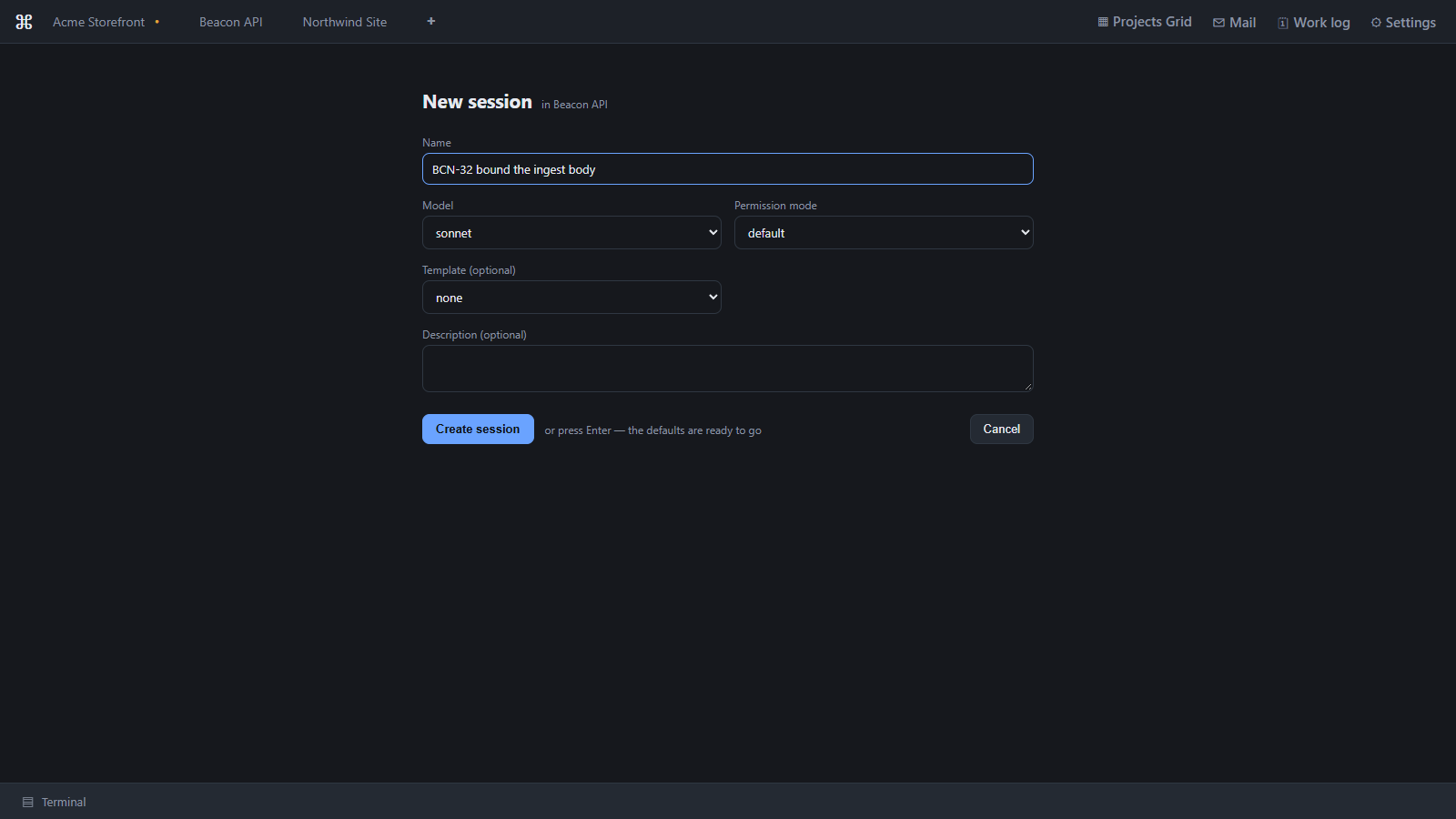
Create one from the project's session list. You choose:
- a name,
- the agent and model — a Claude model, or Codex,
- the permission mode (
default,acceptEdits,plan,bypassPermissions).
Defaults for new sessions — model, permission mode and effort — are in Settings → General.
On a Claude session the form also offers a Template. The template's context and rules, together with the project's included memory notes, become part of Claude's instructions when the session's conversation starts. A conversation already under way keeps the notes it started with, so an edited note reaches new sessions. Codex sessions receive neither, which is why the field is hidden when you pick Codex.
The console
Opening a session starts the agent's real terminal UI inside Ropenode — the genuine
claude or codex TUI, not a reimplementation. Type to it exactly as you would in your
own shell. You can also paste images into it and drop files onto it. See
The embedded console.
On a Claude Code session, the Log beside the console records every prompt and tool call as it happens. See The Log.
Before you let it run fast
The edit policy covers Claude Code sessions, not Codex sessions — see
What is supervised. Read
Safe Agent Edits before you switch a Claude Code
session to acceptEdits. That is the feature that makes running fast survivable.
Last updated Oct 11, 2026