
Working with sessions
The embedded console
The console is the genuine vendor terminal UI — Claude Code's or Codex's — running in a PTY inside Ropenode.
It stays alive when you switch to another tab or another project — switching away does not kill the agent. It is only torn down when you close the window.
You can paste images into it — they reach the agent as file paths, with a thumbnail strip so you can see what you sent — and drop files onto it from Explorer.
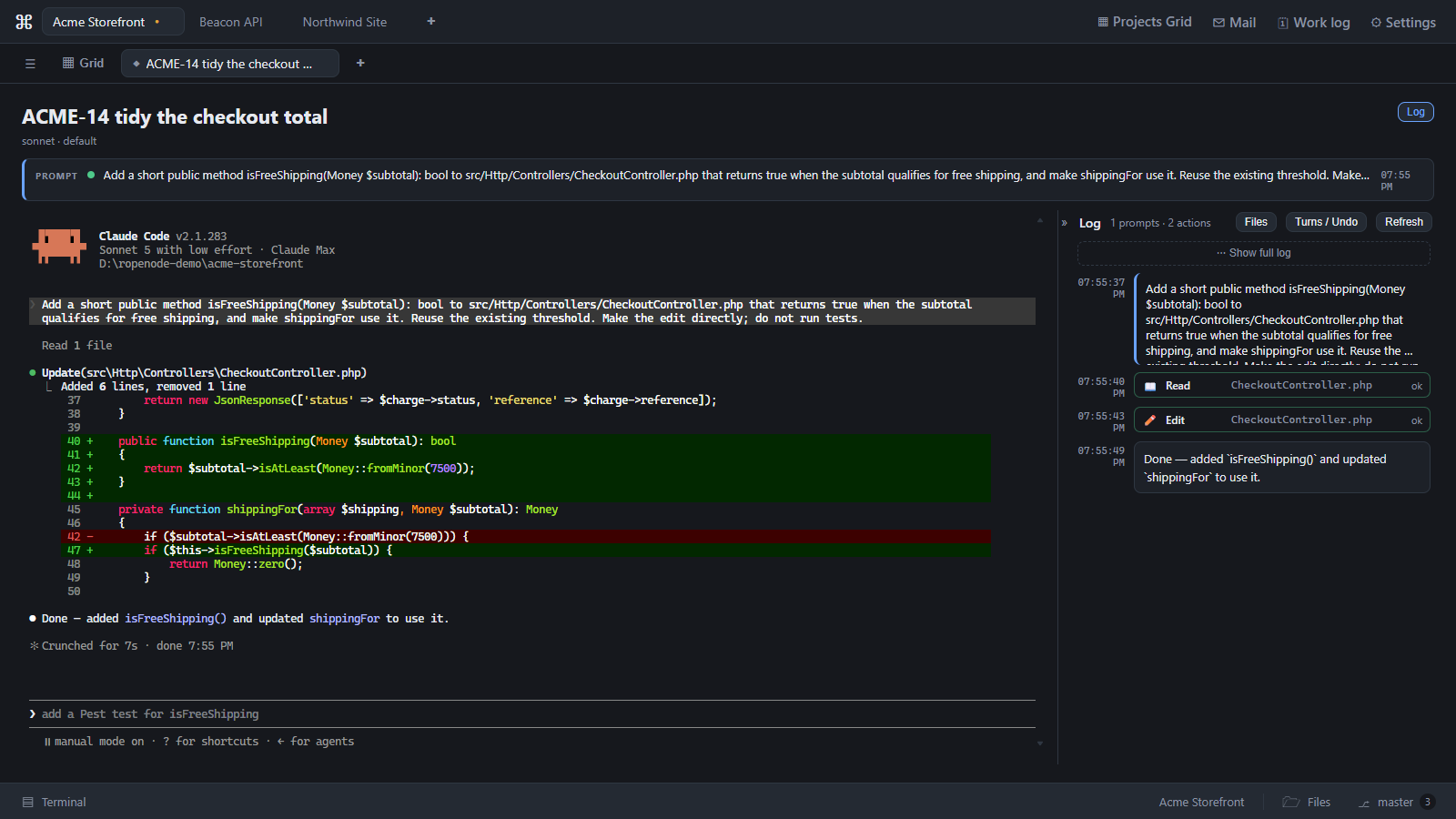
Live UI
On a Claude Code session, Ropenode installs hooks that report each tool call as it happens. They power:
- the running-tool rows in the Log,
- the accept/deny diff prompts,
- the blink states on tabs and tiles.
This is also the mechanism that enforces the edit policy. See Safe Agent Edits.
The Codex console is different
Those hooks are a Claude Code mechanism. A Codex console is a plain terminal with no approval channel, so it gets none of the above: no Log, no accept/deny prompts, and no edit policy. Ropenode marks it Unsupervised in the console. See What is supervised.

Last updated Oct 11, 2026