
Projects Grid
Tiling multiple projects
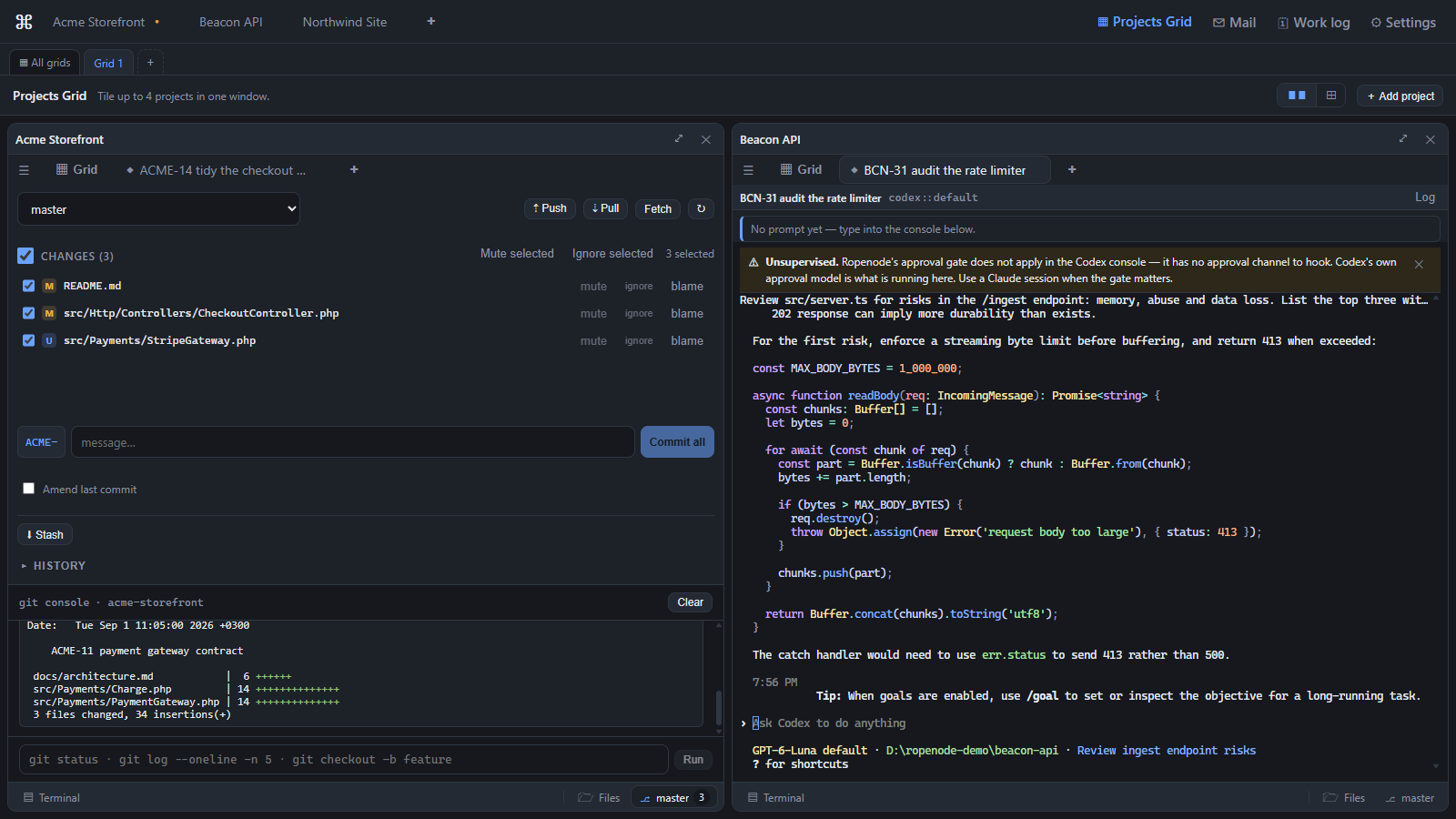
The Projects Grid (▦ Projects Grid in the top bar) tiles whole projects in one window — two columns, or 2×2 for four.
Each tile is not a preview. It is a complete project window: its own tab strip, its own console, files, git panel and diffs, and its own bottom bar. You can work in any tile without leaving the view.
Save a layout as a named view and switch between them.
The Projects Grid is a Pro feature. On Free, the view explains what it does and how to upgrade instead of showing the grid.
Why this is the differentiator
Most tools in this space run many agents inside one repository. Ropenode's axis is different: several client repositories, side by side. If you are an agency supervising six clients, that is the difference between one window and six.
Knowing which tile needs you
You do not watch tiles — they tell you:
- Amber, pulsing — the agent is blocked and needs your input.
- Blue, spinning — working.
- Green, pulsing — a turn just finished, and you have not looked yet.
When the window is not focused, a finished session also raises a desktop notification and flashes the taskbar.
Last updated Oct 11, 2026