
Git
The git panel
A real git client, not a status readout. Open it from ⎇ Git on the project, or from the Git segment in the bottom bar.
- Commit: stage and unstage, commit, and amend. If the project has a Jira prefix configured, commit messages are prefixed automatically.
- Push, pull and fetch show git's real output, and a command that hangs is stopped rather than waited on forever.
- Branches: check out or create one. The list refreshes when you come back to the window, pull prunes branches deleted on the remote, and branches that exist only on the remote are listed in their own On the remote only group.
- Stash — untracked files included — asks first, naming how many files it will take. Apply, pop and drop from the stash list.
- Commit history with search, blame per file, rebase onto a branch and cherry-pick a commit.
- A git console for anything the UI does not cover. A command that needs a password or an answer can be re-run in a real terminal with Run in terminal.
The project's tab shows an amber ● while there are uncommitted changes and ↑N for commits not yet pushed.
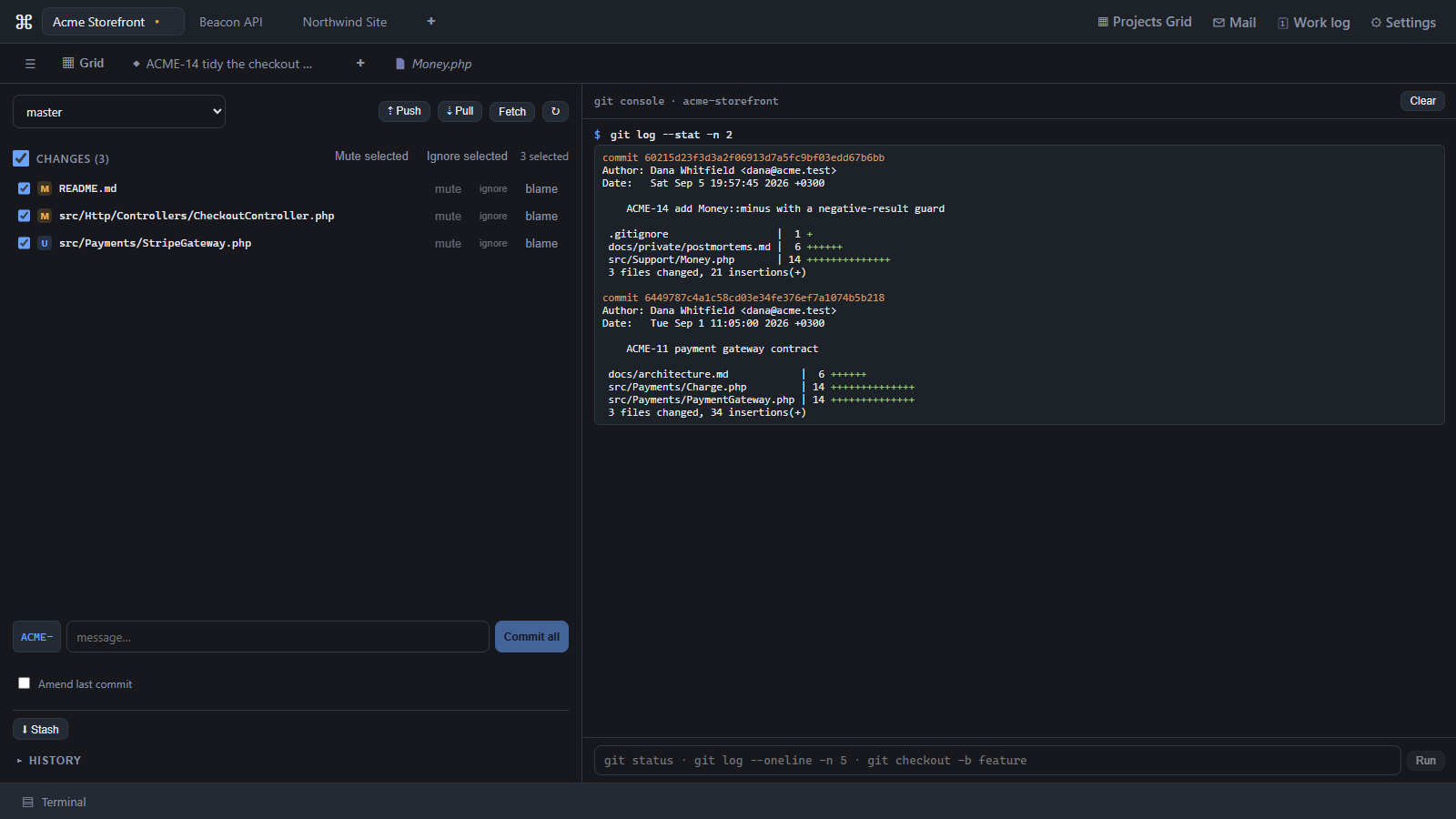
Muted files
Agents leave scratch files behind, and they pin the dirty marker on forever. Mute a file
and it stops counting toward the marker and leaves the Changes list — but nothing is written
to .gitignore, so it stays committable and the mute is reversible. (Add to .gitignore
is there too, when that is what you mean.)
Big change sets
The Changes list shows the first 2,000 files by default; browse all opens the complete list. The number is adjustable in Settings.
Diff gutters
Open files show git gutter markers — added, modified, deleted — directly in the editor, and the file tree marks files by git status.
Scope
Staging is per file.
Last updated Oct 11, 2026